[AI Agent Pipeline #10] Completed App and Retrospective
In the previous article, we covered improvements discovered while operating the pipeline.
This is the final article. Started in August 2025, six months later, it’s finally complete. This article covers the completed app’s UI and a retrospective on technology choices.
1. Completed Content UI
Let me show you how the markdown generated by the agent pipeline is rendered in the app.
First, when you click the Learning tab in the app, the All tab displays category lists for all subject documents. In the screenshot below, JavaScript Browser Concepts appears as the first subject. Selecting a category shows 10 topics, and selecting a topic renders the content in WebView.
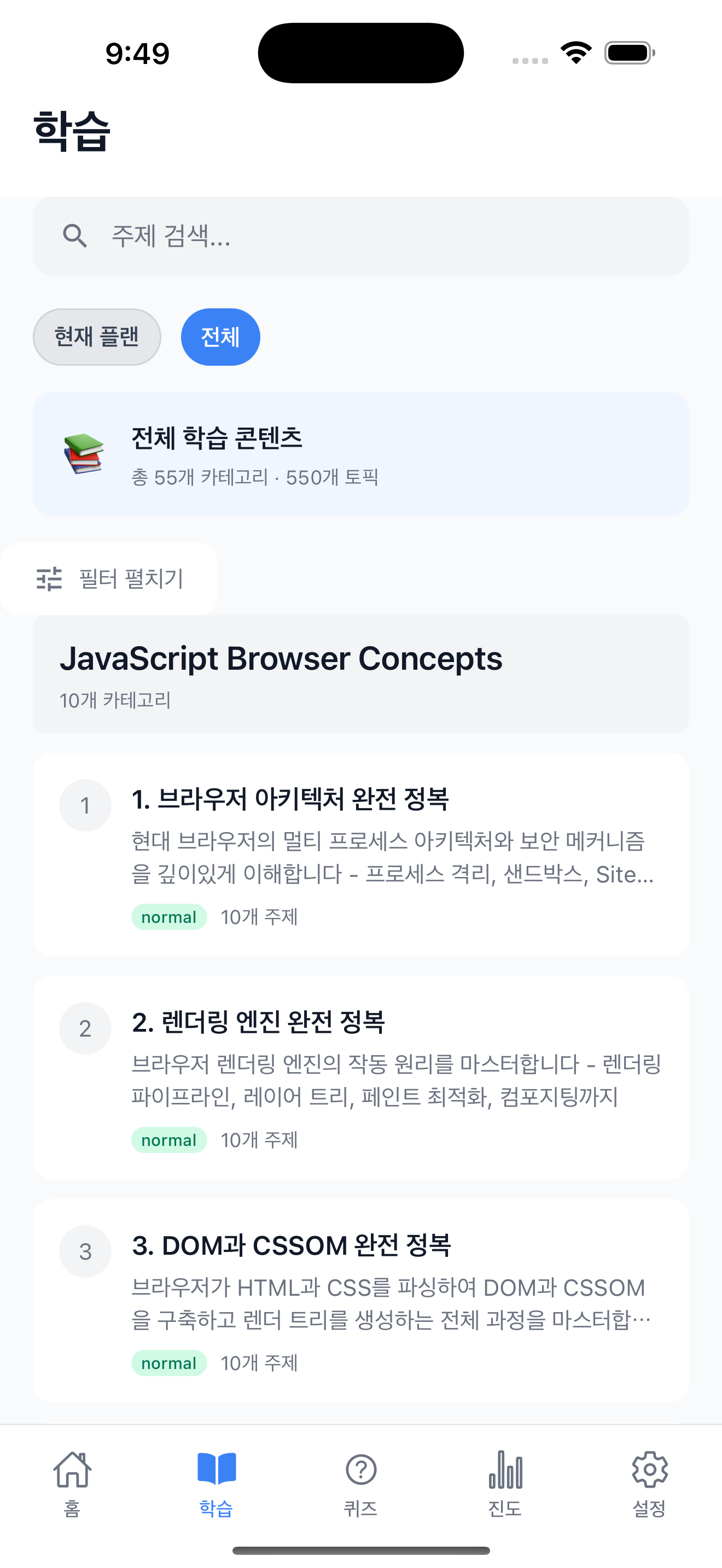
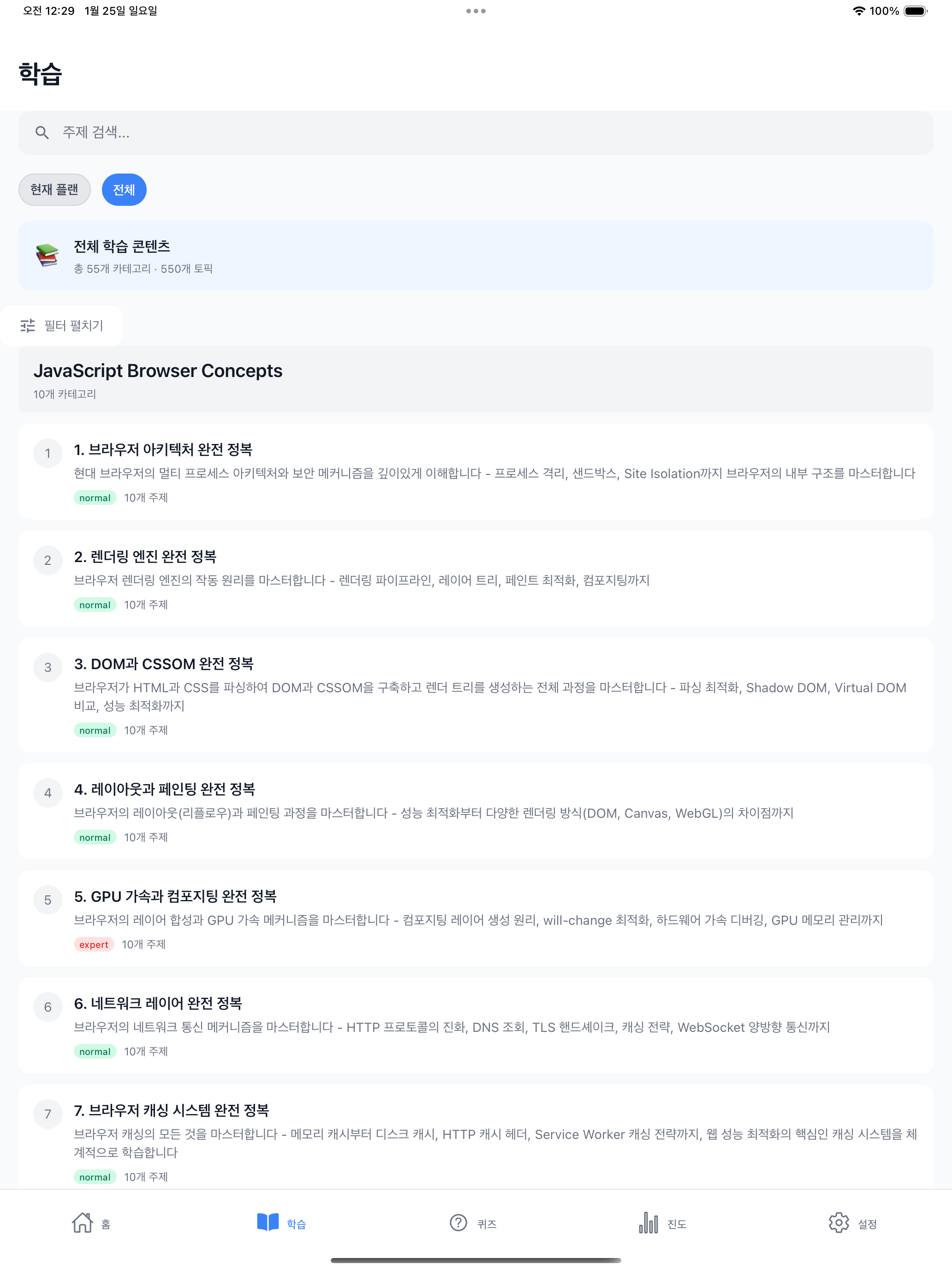
Selecting the “1. Mastering Browser Architecture” category shows a list of 10 topics. Selecting the topic “How is the browser’s multi-process architecture structured?” renders the content generated by the pipeline in WebView. The screenshots from here on are pipeline outputs.
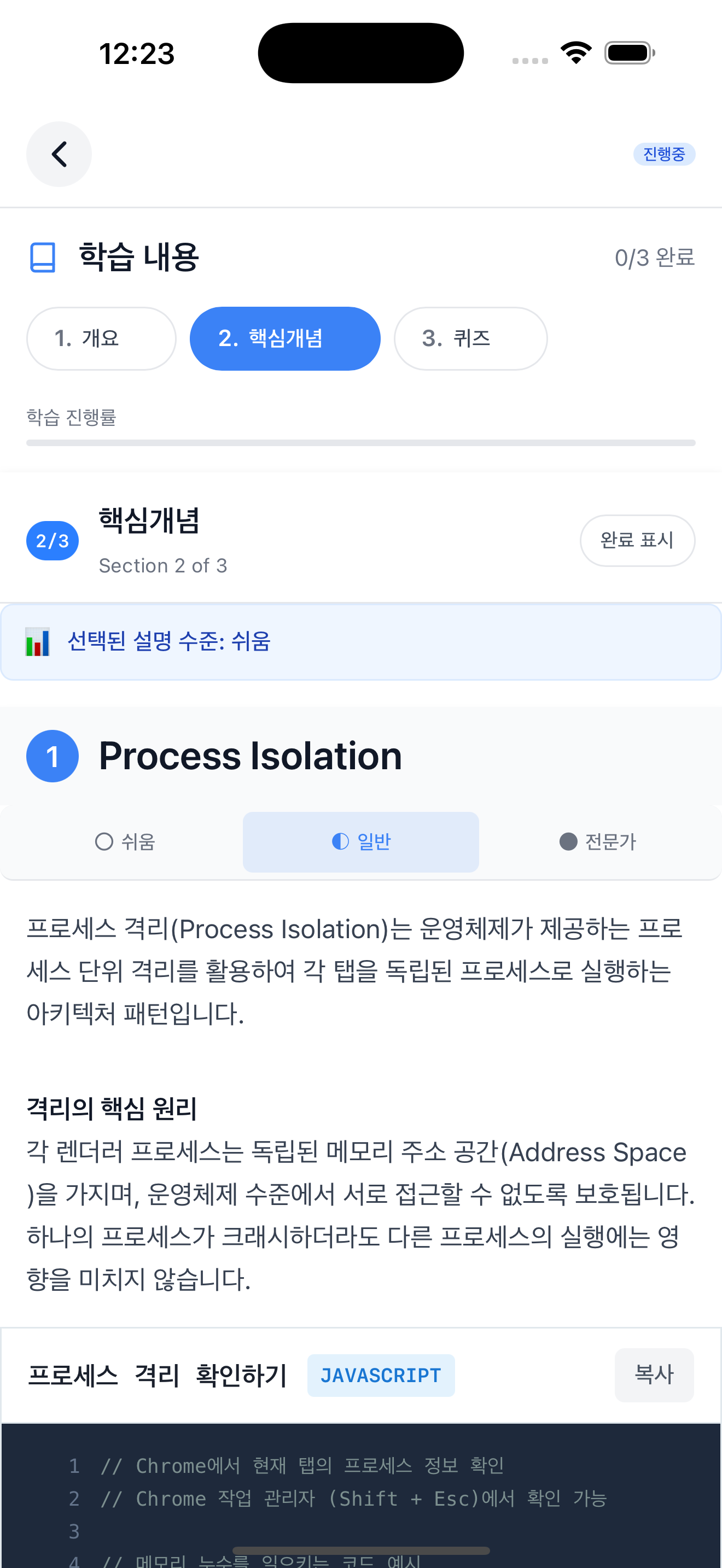
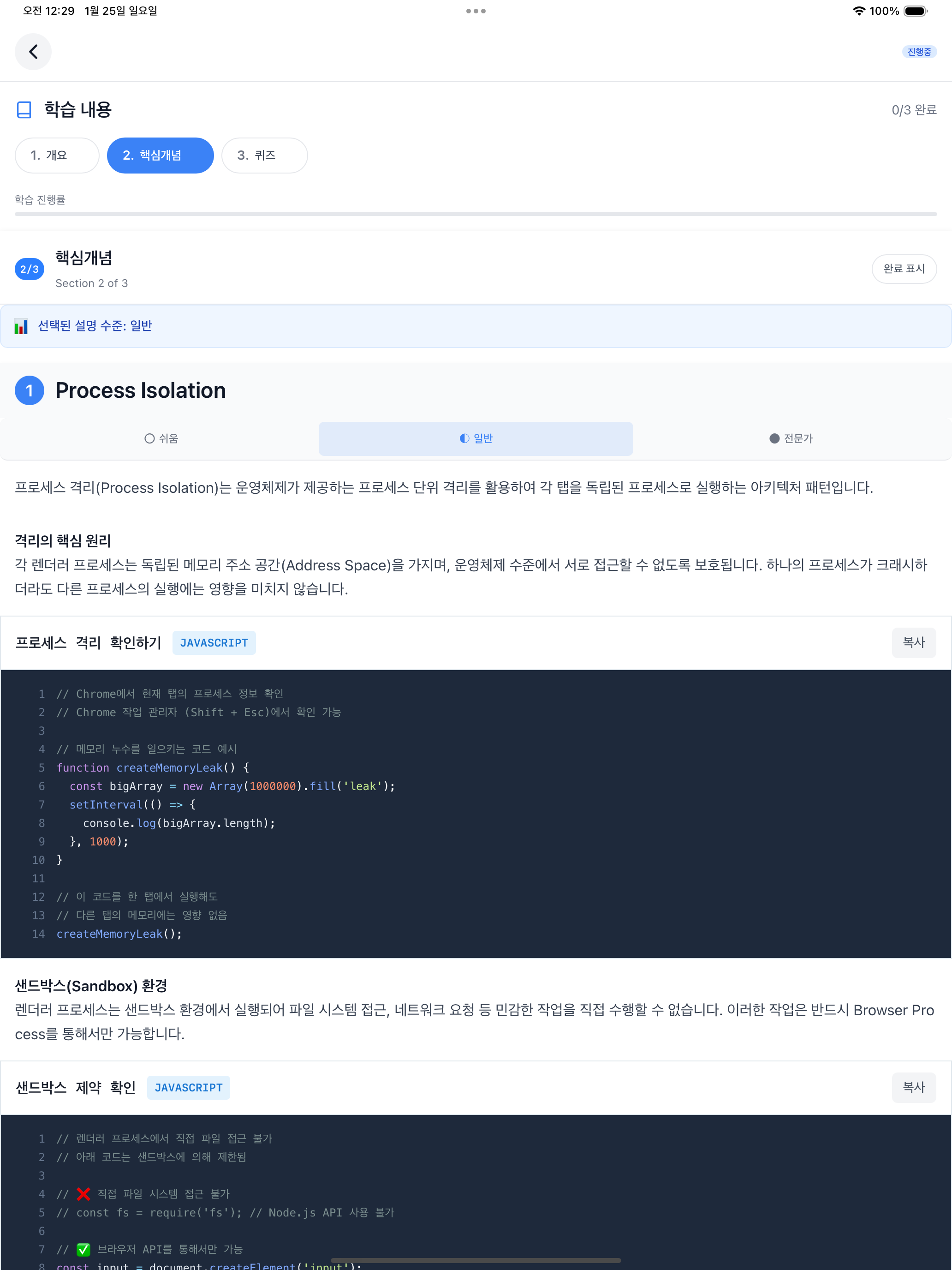
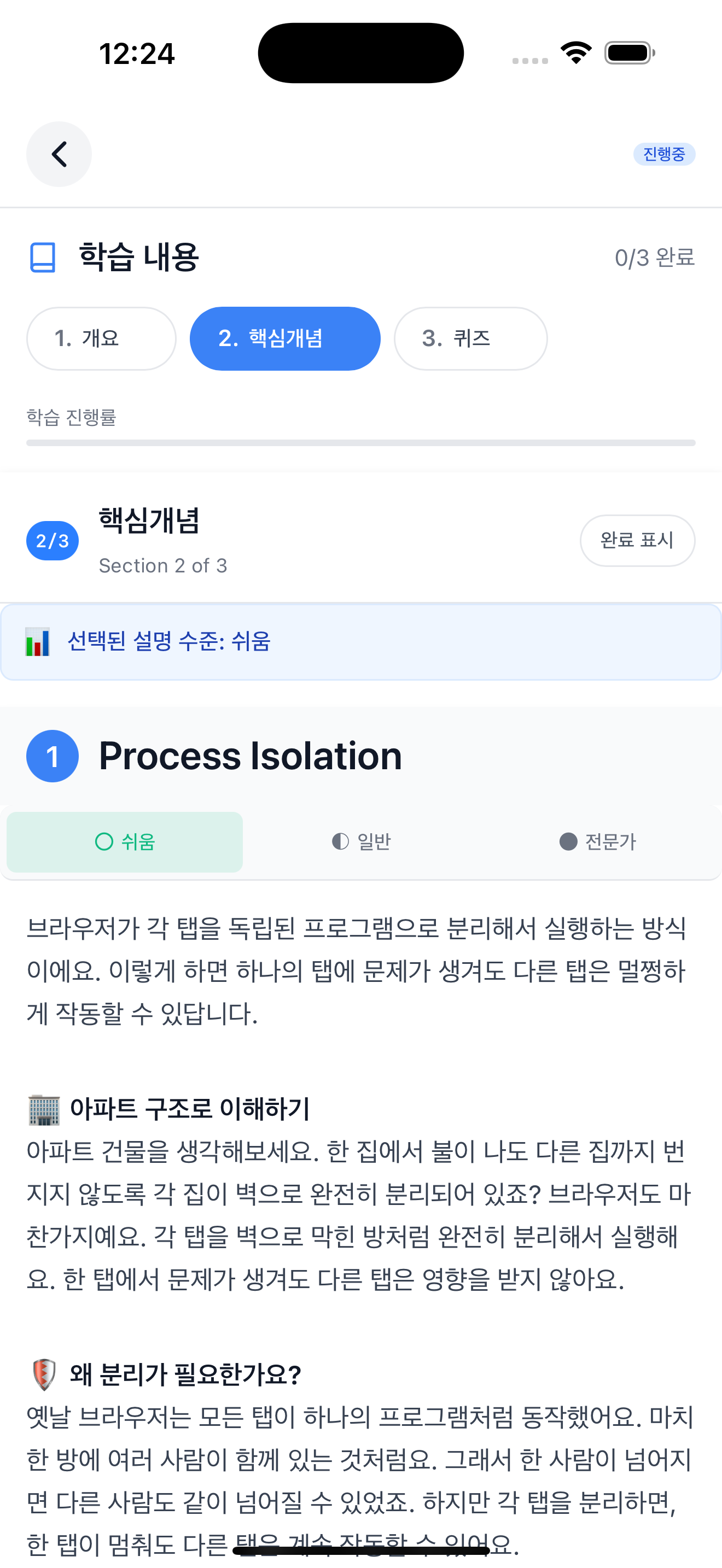
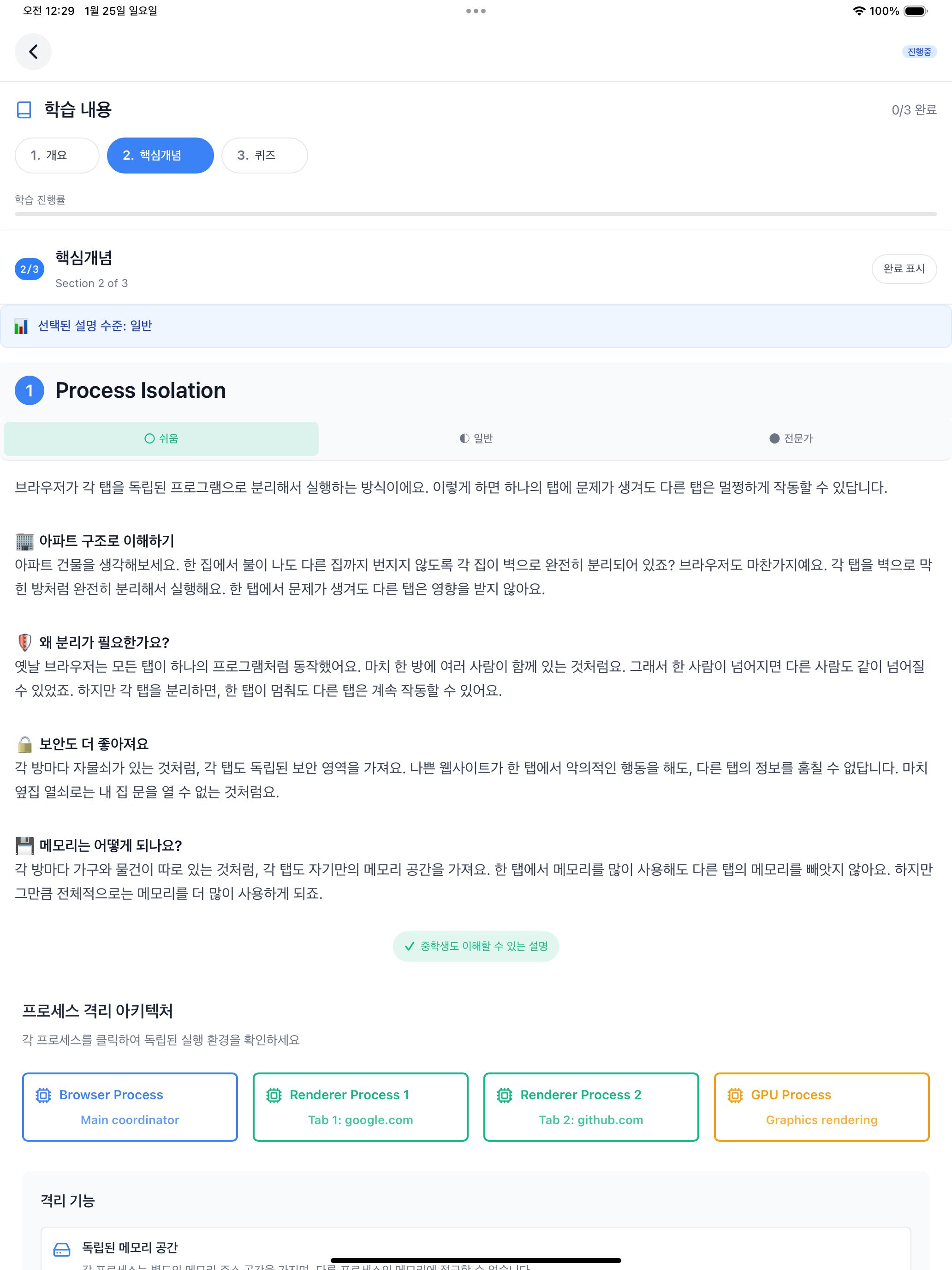
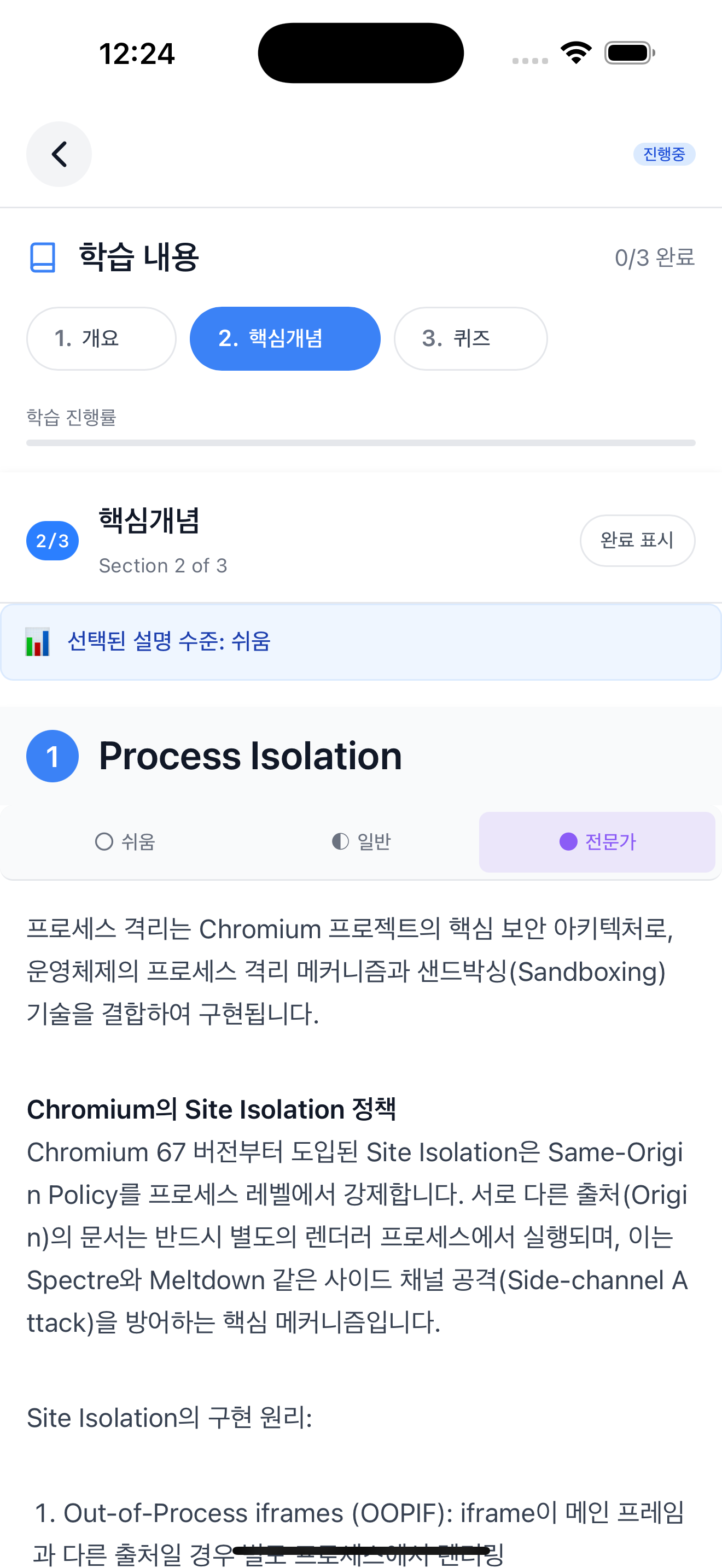
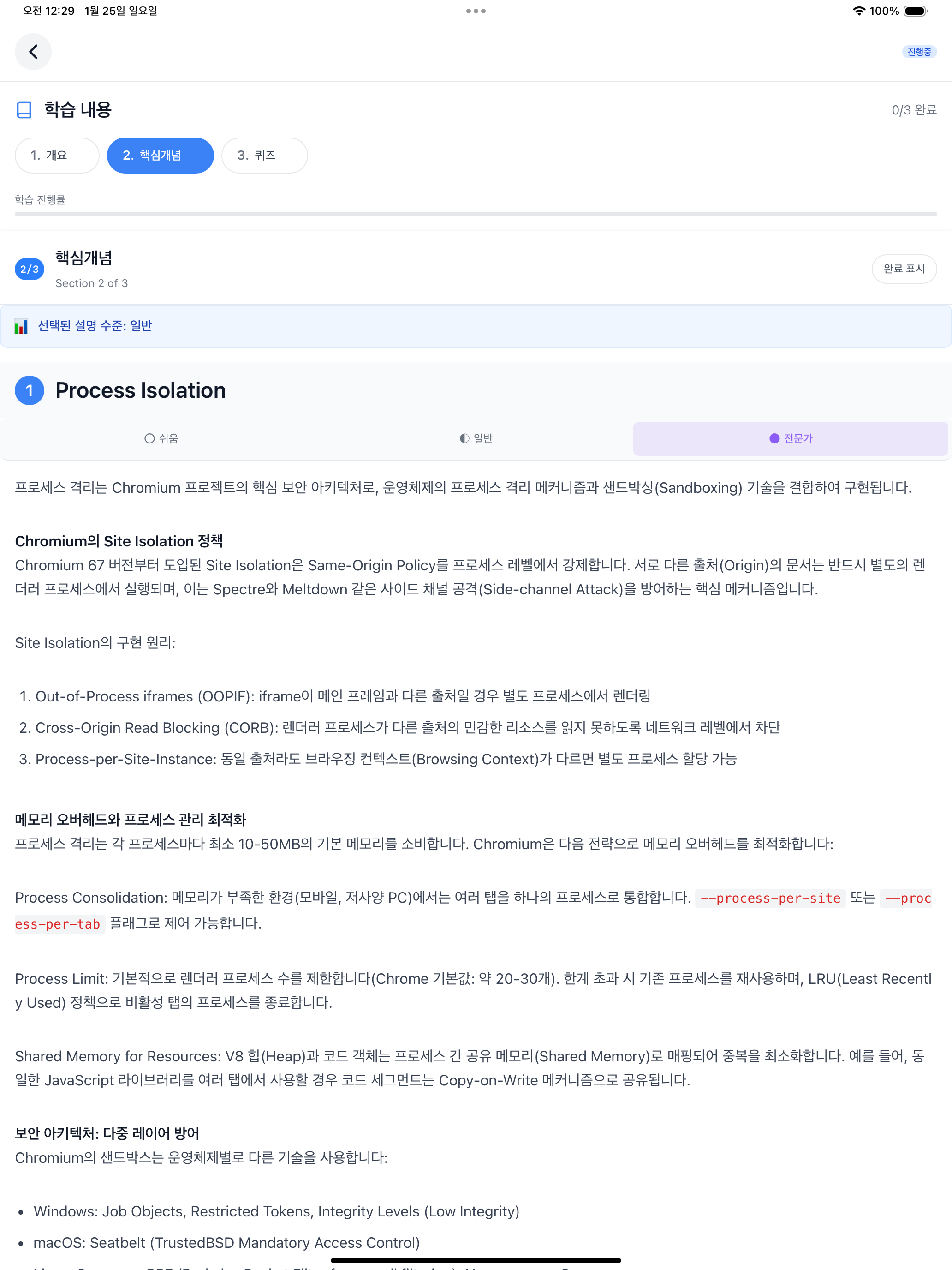
The topic screen consists of 3 sections: Overview, Core Concepts, and Quiz. The “Selected explanation level” at the top is the default difficulty set in preferences. In the screenshots below, I selected Normal, Easy, and Expert tabs in sequence to show all three difficulty levels. In the Core Concepts section, you can switch between the 3-level difficulty explanations generated by concepts-writer using tabs. Selecting “Easy” displays a “Middle school level explanation” badge at the bottom of the content, and selecting “Expert” displays a “Deep explanation for 20+ year experts” badge. The default “Normal” has no badge.
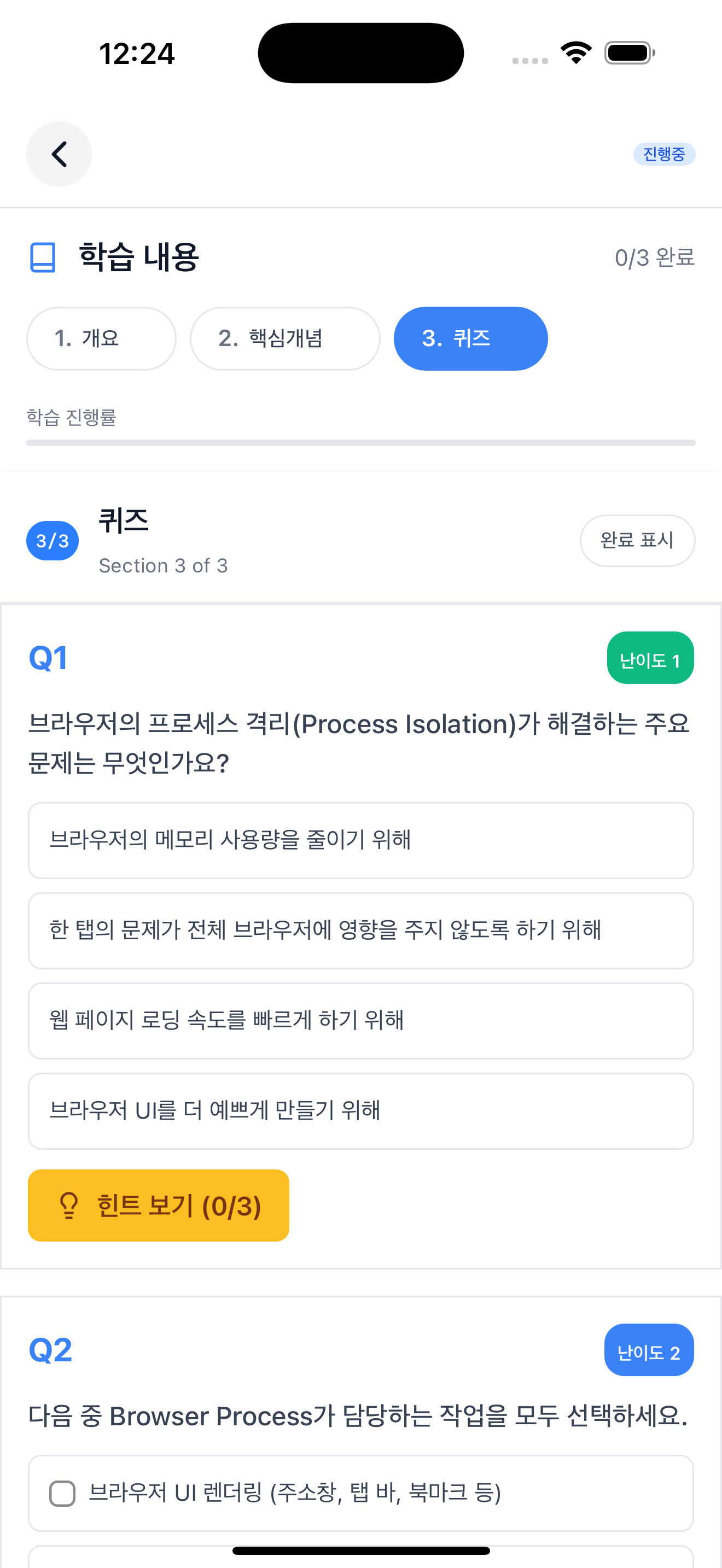
The Quiz section tests learning with 12 questions generated by quiz-writer. Each question’s difficulty is indicated by a number 1-5, with a fixed distribution of 4 questions at difficulty 1-2, 5 questions at difficulty 3, and 3 questions at difficulty 4-5.
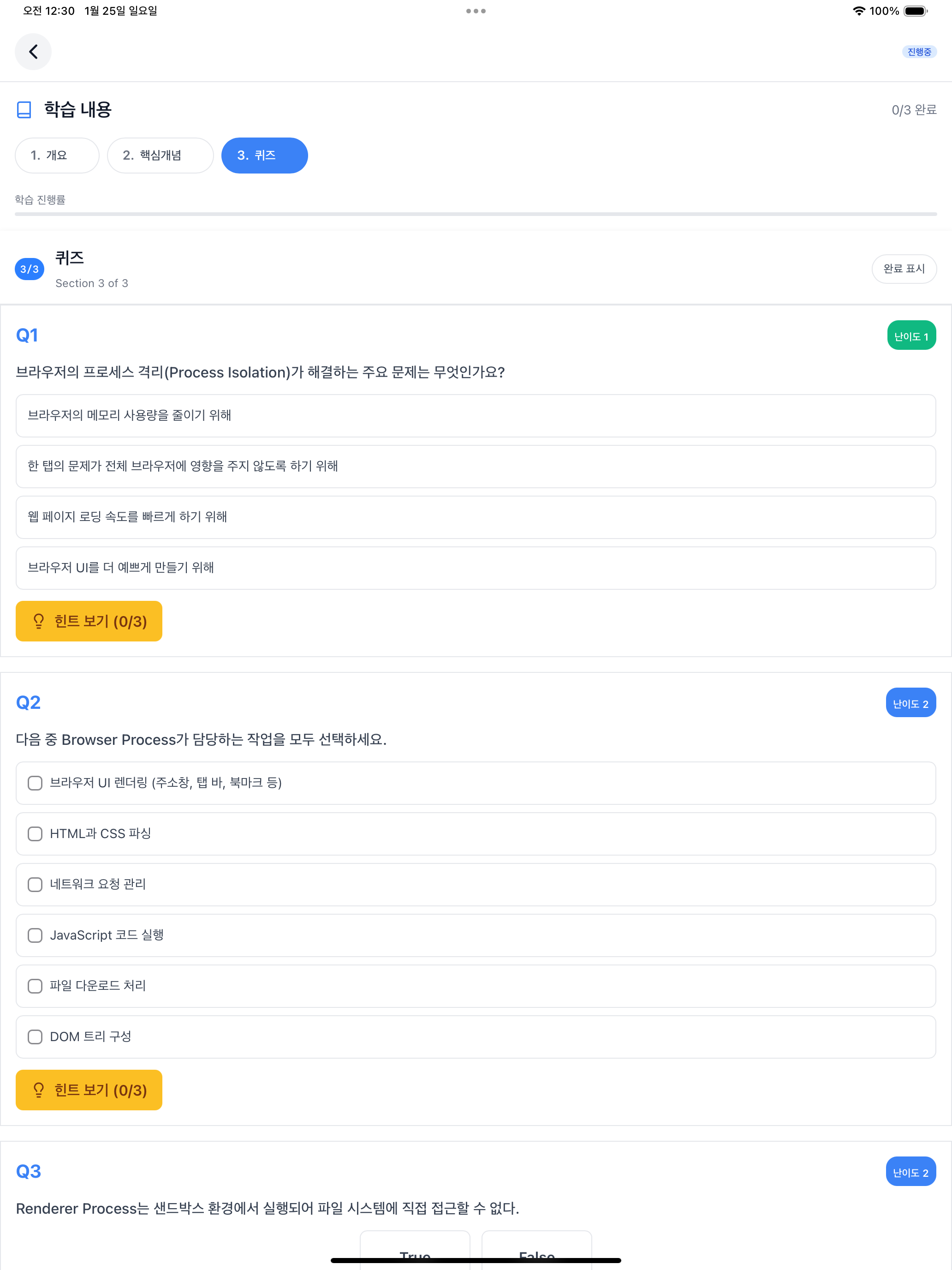
As covered in article 9, practice-writer was removed due to mobile environment limitations and mismatch with non-development topics. Originally there was a practice section (Code Patterns, Experiments), but it was difficult to run code directly in a mobile app and felt awkward for non-development topics. The final UI consists of 3 sections: Overview, Core Concepts, and Quiz.
2. Why Claude Code?
When I started this work in August 2025, I didn’t know about agent frameworks. At the time, I had a Max Plan subscription but wasn’t using all the available weekly tokens. While looking for ways to use these tokens, I discovered from the Claude Code CLI documentation that prompts could be passed with the -p option. Shell scripts were a natural choice for automating CLI-based repetitive tasks.
After the pipeline was mostly complete, I learned about agent frameworks.
| Framework | Features |
|---|---|
| LangGraph | LangChain-based graph workflow. Built-in state management and checkpointing, conditional branching support |
| CrewAI | Role-based multi-agent. Well-defined agent collaboration patterns, low learning curve |
| AutoGen | Microsoft’s conversational agents. Built-in code execution environment, multi-agent conversation support |
These frameworks provide systematic state management and checkpointing, with well-defined agent collaboration patterns. Things I implemented directly in shell scripts, like WSM (Work Status Markers) covered in article 6 or Contract Precondition/Postcondition validation, were already built into these frameworks.
I briefly considered migration. But I already had a Max Plan subscription, and using leftover tokens meant I could run the pipeline at no additional cost. By the time I learned about agent frameworks, I had already completed a fully functional pipeline with Claude Code subagents, so there was no need to rebuild with a new framework right now. If the opportunity arises later, I’m thinking about comparing actual costs and considering migration to an API-based approach.
You might think “wouldn’t it be cleaner to write in Python or Node.js instead of shell scripts?” True. But since it’s already optimized and running stably, there was no reason to rewrite it.
3. Complete Series Summary
Here’s a summary of what was covered across 10 articles.
| # | Title | Key Point |
|---|---|---|
| 1 | Why I Started Building a Learning App | Motivation and goals |
| 2 | What to Generate | Topic document design |
| 3 | Why a Single Prompt Didn’t Work | Single prompt failure |
| 4 | Why It Still Failed After Splitting | Prompt pollution |
| 5 | 4 Stages to Prompt Completion | XML tag introduction |
| 6 | How 7 Agents Collaborate | WSM and Contract |
| 7 | Running Agents with Shell Scripts | Normal execution flow |
| 8 | Retry and Rollback | Failure handling flow |
| 9 | Discovering Improvements and Refactoring | Agent simplification |
| 10 | Completed App and Retrospective (this article) | UI and technology choice retrospective |
4. Conclusion
From August 2025 to January 2026, it was about a 6-month journey.
The metadata pipeline worked well from the start. The problem was content generation. Stably generating about 1,400 lines of markdown wasn’t easy. I tried with a single prompt and failed, split into 7 agents but it was still unstable. When errors occurred I added rules, and the more rules there were, the worse it got.
While applying the AI-DLC methodology, I introduced the Contract pattern. I clearly defined what each agent receives as input and what it should output. But generating markdown content with markdown prompts caused the LLM to confuse the two. Separating prompt structure and content structure with XML tags brought first-try success rates close to 100%.
I learned about agent frameworks after already completing the pipeline with Claude Code subagents. Migrating to LangGraph or CrewAI could provide more systematic structure, but it wasn’t needed right now.
A pipeline for over 1,690 topics has been completed. Now with just time investment, the remaining content can be generated.
I hope this series helps those attempting similar projects.
This series shares experiences applying the AI-DLC (AI-Driven Development Lifecycle) methodology to an actual project. For more details about AI-DLC, please refer to the Economic Dashboard Development Series.